Here's the idea --
You launch a self-contained virtual environment that can contain your web browser, bookmarks, email, instant messenger, etc. You can surf anonymously, leaving no traces behind on the host machine. This self contained environment lives on a USB flash drive (minimum 1GB size) that you can carry with you. Launching the virtual environment will work on any Windows machine you plug it into, as well as any Mac OSX machine that has VMWare Fusion already installed.
How does it work --
The virtual environments are called "LivePCs", from a startup company called MokaFive. If you're familiar with VMWare, that technology is extended and enhanced by MokaFive's free software. The MokaFive software is intended for enterprise customers, but they offer use of the player in the manner shown here for free.
Steps involved --
STEP 1 :
Download the MokaFive Portable installer (see screenshot below for the right one to use for prepping your USB flash drive on a Windows machine).
STEP 2 :
Run the installer once to prep your USB stick.
STEP 3 :
Run the MokaFive Player to begin!
The installation is pretty straightforward, but i've provided some screenshots below. Long story short, once you've created your magic USB stick the first time with the software, it will proceed to snag the virtual "LivePC" environment from the web. It only needs to do this once, so bear with it while it downloads it.
fresh usb stick
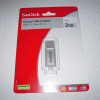
(this one cost around $10 US$ at Best Buy, has average speeds, but is less than two inches in length so it should be good on a keychain)
running the usb installer

license agreement
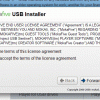
choose the usb stick
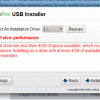
extracting files onto your usb stick

install complete
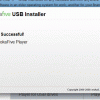
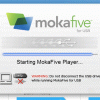
starting for first time
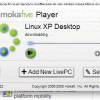
downloading LivePC on first load
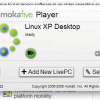
ready to run
the result when running
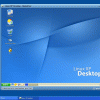
even better - take it fullscreen!
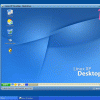
Congratulations, you now have a USB stick that you can carry anywhere, and surf safely without leaving any traces behind. End to end, prepping your USB stick the first time should take maybe ten minutes on a broadband connection, and mostly installs on its own. After that, it is maybe fifteen seconds to start the virtual environment each time you want to use it, and the same duration for shutdown.
Things to keep in mind --
It takes a few seconds to start up, and a few seconds to shut down. To me, this is worth the price of admission. Also, YOU MUST SHUT DOWN the virtual computer when you are done working with, in order to ensure things close off properly.
Techie notes for advanced users --
This is similar to rolling your own vmware virtual machine; however, the benefit is that when MokaFive updates their LivePCs with fixes or patches, you get those streamed to you when you launch the player.
You may also find it handy to keep your bookmarks inside the LivePC synchronized with your normal desktop. Someone recommended the
FoxMarks extension for FireFox, to let you keep bookmarks on all your machines in sync, but I haven't had time to try it yet.
Optional --
Add the new "Fearless Browser" LivePC to your USB stick - it is even better for our purposes here (surfing with privacy), and includes TOR (the onion router) for true anonymous surfing. I just showed above how to install the default configuration, which includes the XP-like Linux environment. To add the "Fearless Browser" LivePC, click on the "Add new LivePC" button on the MokaFive player. This will bring up a webpage on MokaFive's website showing tons of different LivePC's you can download. The "Fearless Browser" should be near the top of the list. Follow the instructions to download it, and it will stream into the MokaFive Player over a few minutes time.
Caveats --
The only thing I found wouldn't run inside the default configuration here were JAVA applets, but I think that is because JAVA just wasn't installed yet. I believe Sun Microsystems (the Java authors) prohibits redistribution of JAVA without specific permission or something, so you could always just install it yourself inside the LivePC. This is likely of no consequence for 99.999999% of users out there doing some surreptitious surfing on the go, but I just thought I would mention it.










 Previous Topic
 Index
Index